FF Global Graphics Settings Guide: Balance Looks and Performance
FF Global Graphics Settings Guide: Balance Looks and Performance
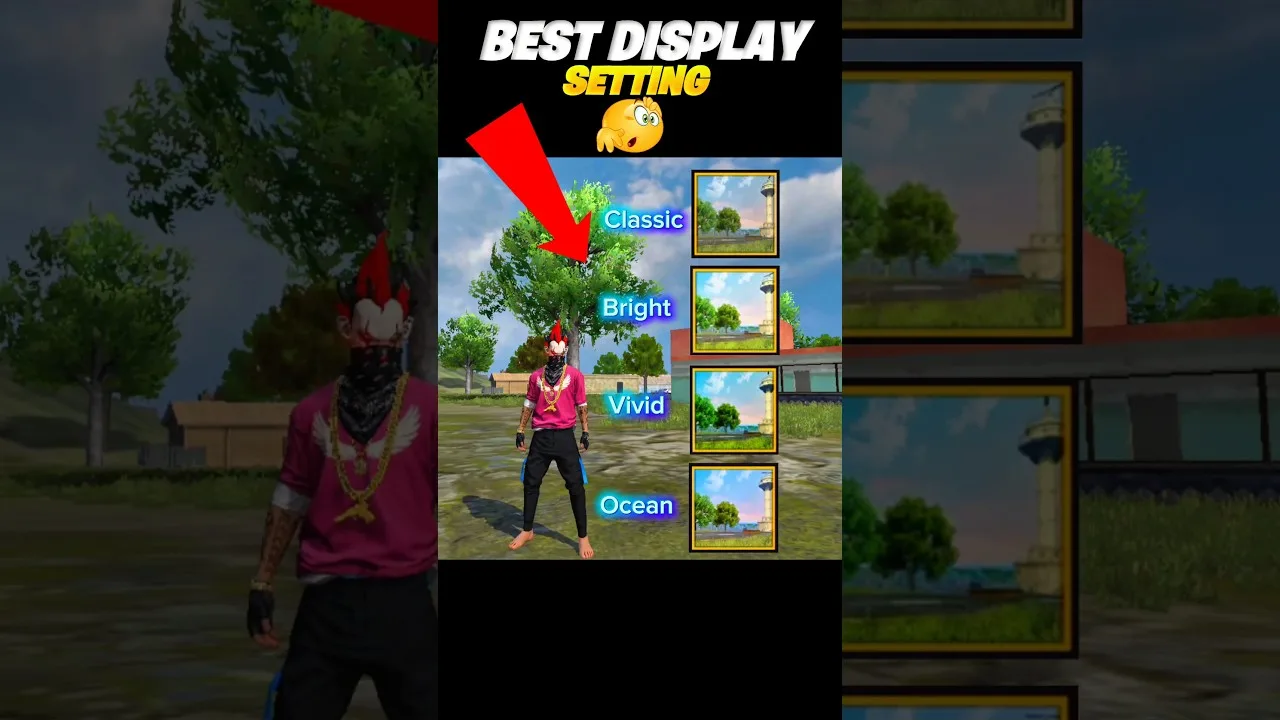

Graphics settings in FF Global are a trade between beauty and smoothness, and the right balance depends entirely on your phone. Powerful devices can enjoy rich textures and effects without consequence, while modest phones pay for every visual extra with frame rate. Understanding what each setting actually does lets you spend your phone's power where your eyes benefit most, and cut the expensive options you would never notice in a fight.
Change settings from the display section after opening the FF Global shooter for Android, and judge every change in a real match rather than in the lobby, because the lobby never stresses your phone the way a busy fight does. Adjust one option at a time so you always know which change helped or hurt.
The overall quality option sets the general level of detail: texture sharpness, model detail and effects richness all scale with it. It is the single most powerful lever you have. On a strong phone, higher quality makes the game look genuinely nicer, especially character models and environments at a distance. On a weaker phone, it is also the first place trouble starts, showing up as lower frame rates and faster heating.
A good approach is to find the highest quality level at which your frame rate stays stable through a full match, including busy final circles. If stuttering appears only in heavy scenes, drop quality one step and test again. Many players are surprised how little they miss the top setting during actual play, because in a fight your eyes track movement and opponents, not texture detail.
If graphics quality is about how the game looks, frame rate options are about how it feels. Higher frame rates make turning, aiming and tracking moving opponents noticeably smoother, and most experienced players protect frame rate above every visual luxury. When forced to choose between prettier graphics and smoother motion, smoothness almost always wins more fights.
Set the highest frame rate option your device can sustain, then use the other settings to make room for it. If your phone cannot hold a high frame rate steadily and swings between smooth and choppy, a lower but stable frame rate can actually feel better, because consistency is what your hands learn from. Pair your choices with the FF Global sensitivity settings guide afterwards, since aim settings feel different at different frame rates and may need a small retune.
When you need performance back, lower settings in order of cost versus benefit. Dynamic shadows are expensive and mostly decorative during play, so they are usually the first to go. High-resolution texture options and extra visual effects come next; they make screenshots prettier but add little to your awareness in a match. View-related clarity, by contrast, is worth keeping as high as your phone allows, because spotting opponents early is a real gameplay advantage.
Work down the list gradually: change one option, play a match, and check whether the game feels smoother and whether you actually miss what you removed. Most players end with a personalised mix rather than a preset, keeping the two or three visual options they genuinely enjoy and trimming everything else. That mix is the true best setting for your phone.
Not every display option is about performance. Brightness and colour-related settings shape how easily you can see opponents, especially in darker interiors or bright outdoor areas of the map. A screen set too dark hides players in shadowed corners; a screen pushed too bright washes out detail. Adjust in the environment you actually play in, under your normal room lighting, not under a lamp in a shop.
It also helps to check your phone's own display settings. Some devices apply colour modes or eye-comfort filters that shift the game's appearance. There is no single correct choice here, only what lets you pick out movement and shapes quickest. Test by standing in a shadowed area in training and seeing how clearly you can read the space around you.
Graphics settings are not a one-time decision. Revisit them after major game updates, which sometimes change performance demands or reset options, and after changing phones, obviously, but also when your current phone ages or its storage fills up, because a crowded, ageing device often needs one step lower than it once did.
If you have already tuned everything and performance still frustrates you, the FF Global lag and ping fix guide covers connection, heat and background-app causes that graphics settings cannot fix. Rule those out before concluding your phone is simply too weak; very often the device is fine and something around the game is stealing its power.
One last consideration is consistency across sessions. Once you settle on a graphics mix that works, resist the urge to raise settings again the moment you buy a new case, clear some storage or have one unusually smooth evening. A single good match is not proof that your phone can hold higher settings under pressure; final circles in a busy lobby are the real examination. Only raise a setting after the urge survives several full sessions, and even then raise one option, test it for days, and be willing to reverse the change. Steady settings build steady habits, and your aim quietly depends on the game looking and moving the same way every day.
Treat FF Global graphics as a budget: protect frame rate first, keep the visual options that help you see and enjoy the game, and cut expensive decoration without mercy. Test every change in real matches, revisit after updates, and your phone will give you the smoothest version of the game it honestly can.
Set up FF Global controls the right way: button layout, fire button size, HUD transparency and testing habits for smoother, more accurate matches. for Android.
Read Now
Find FF Global sensitivity settings that fit your phone and play style, with simple steps for general, red dot, scope and free look sensitivity. on any phone.
Read Now
Start FF Global with confidence using beginner tips on landing spots, looting order, safe movement, mode choice and habits that build skill fast. from day one.
Read Now